
Add WindCaddie to your home screen
The compass works better and the app launches in full-screen — without the browser address bar.
iPhone & iPad (Safari)
Make sure you're opening windcaddy.app in Safari (not inside another app like Instagram or Messenger).
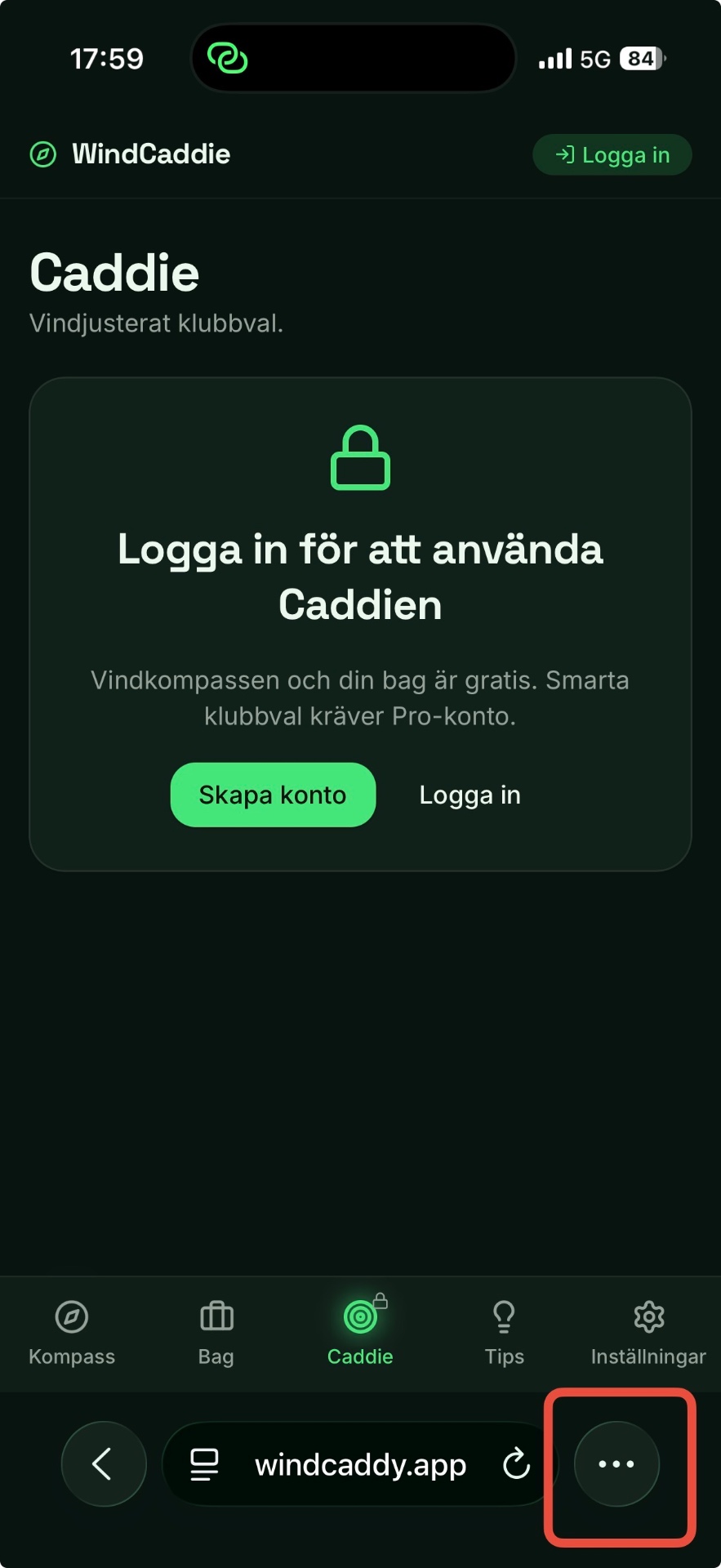
Step 1
Open the ⋯ menu
Tap the three dots (⋯) on the far right of Safari's address bar.
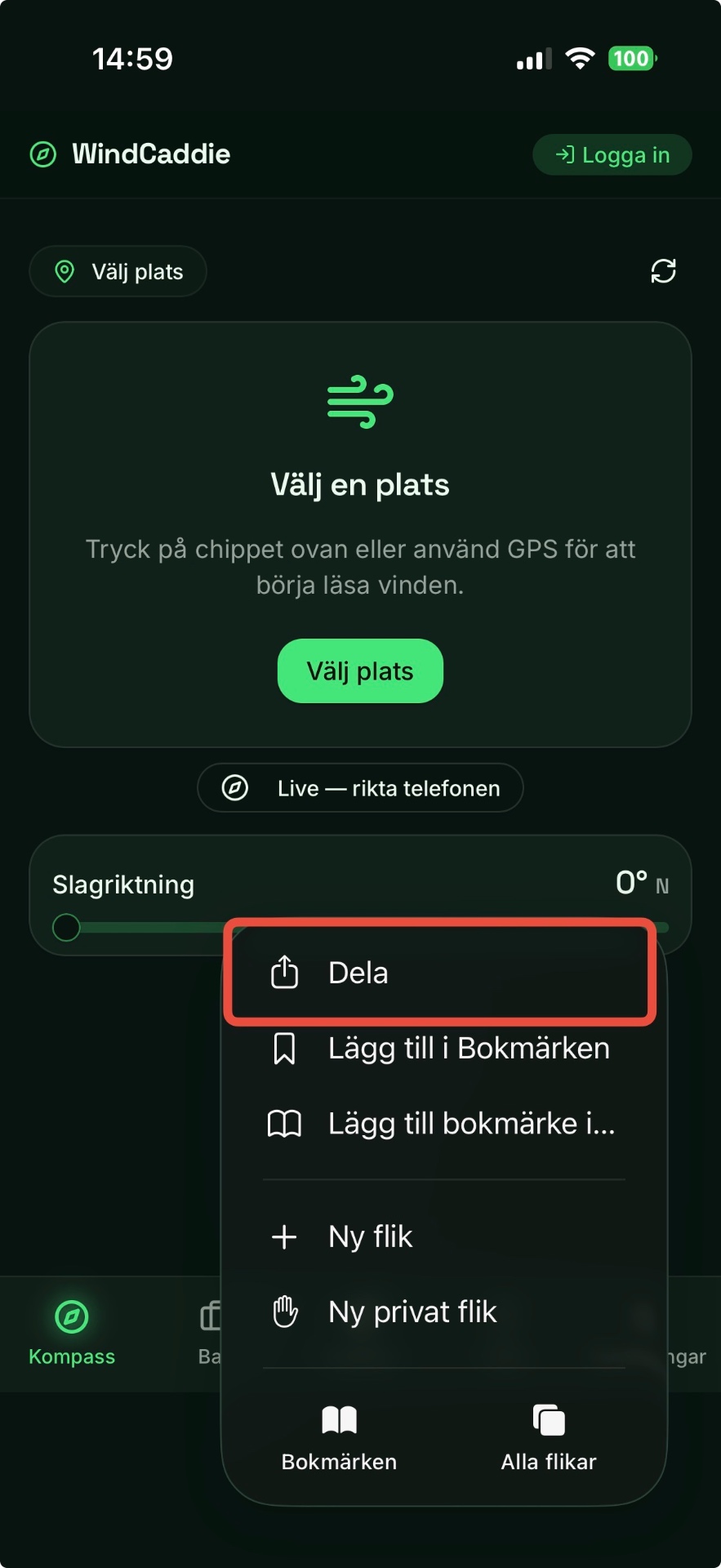
Step 2
Choose Share
In the menu that opens, tap "Share" at the top.
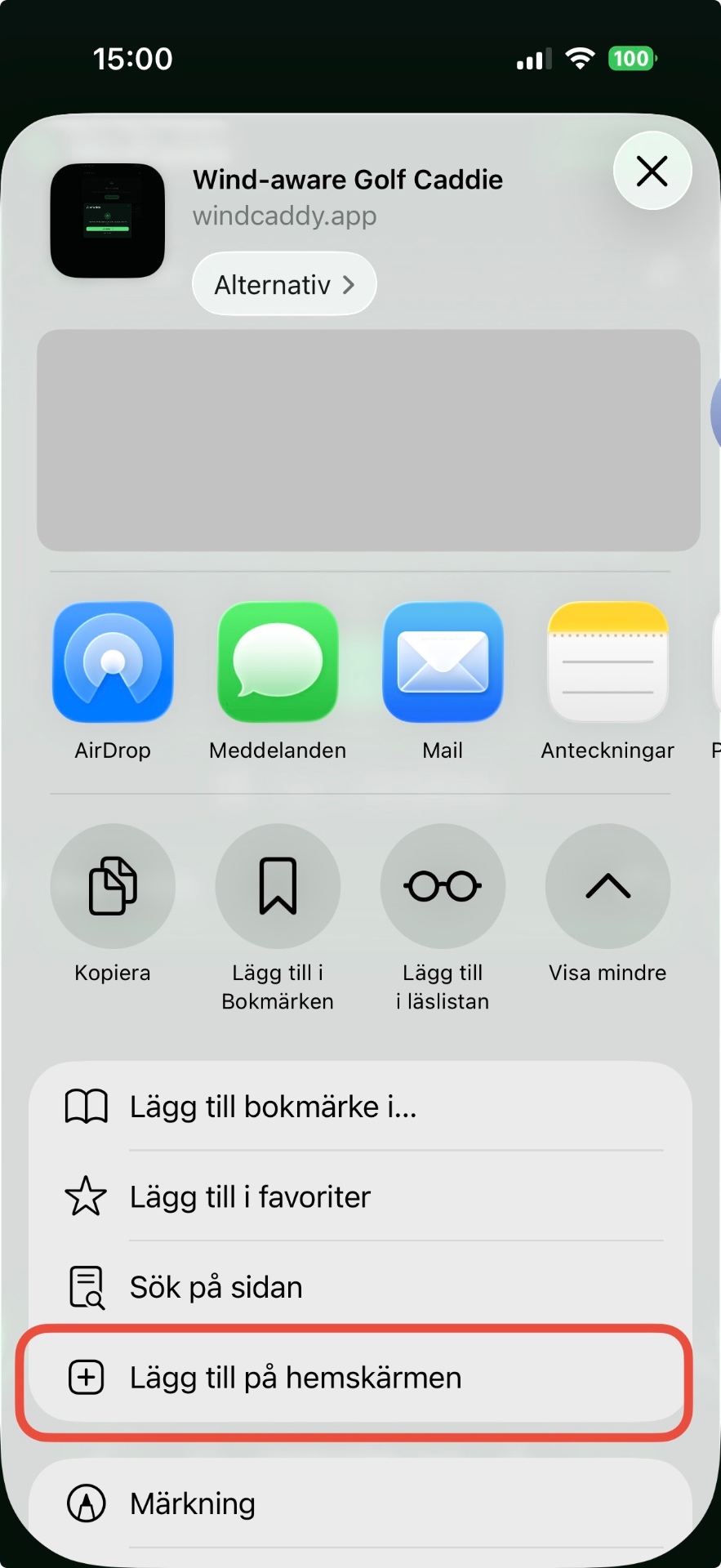
Step 3
Add to Home Screen
Scroll down in the share sheet and tap "Add to Home Screen".

Step 4
Confirm with Add
Tap "Add" in the upper right corner — WindCaddie now sits as an app icon on your home screen.
Android (Chrome)
Tap the menu (⋮) in the top right of Chrome and choose "Install app" or "Add to Home screen".